Connect to MySQL addon
Overview
Apps on Cloudron use an internal MySQL addon. Access the database from inside the server via an SSH tunnel for security.
This guide explains how to connect to the MySQL addon from your local machine.
Database credentials
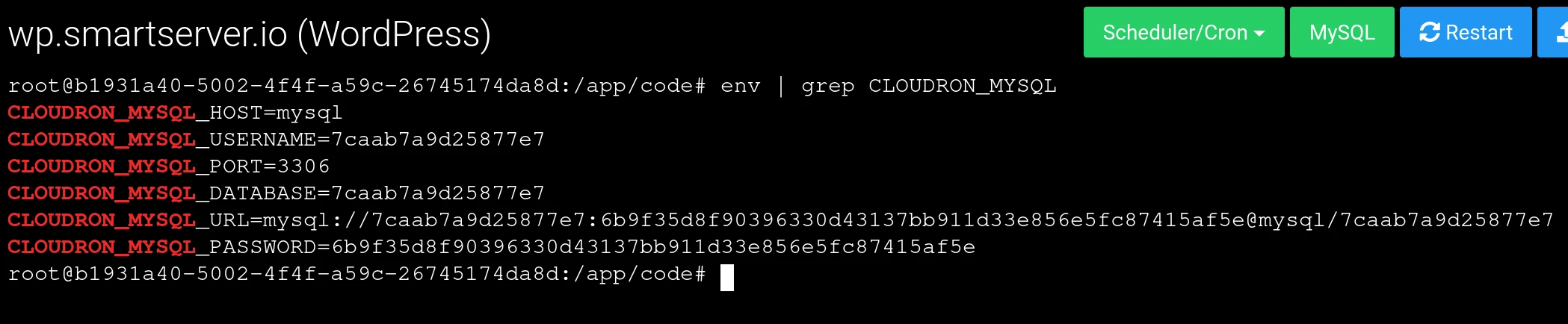
Get the database credentials:
- Open the Web terminal of an app.
- Run
env | grep CLOUDRON_MYSQL. - Note the credentials. Each app has its own separate database and credentials.
Internal IP address
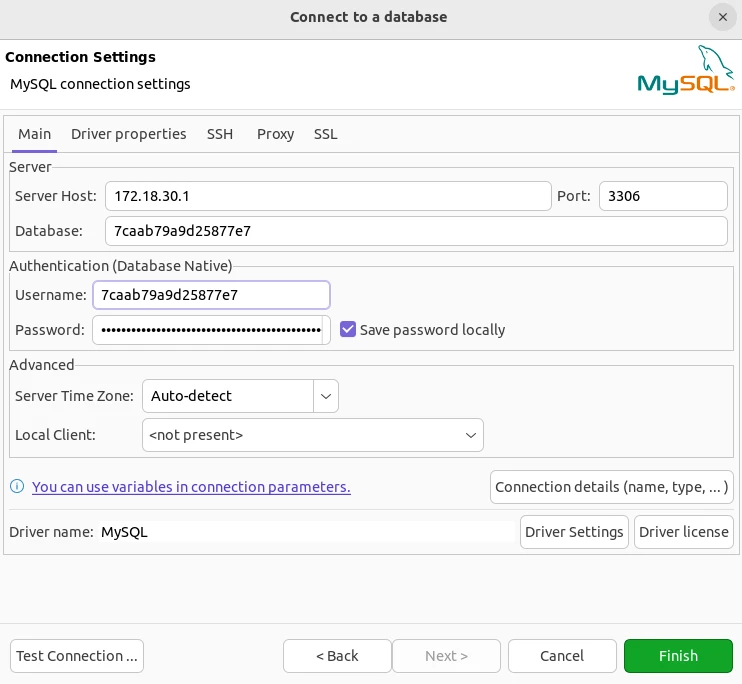
The internal IP address of the MySQL server is 172.18.30.1.
DB clients
CLI
Connect via MySQL CLI:
- Open a Web Terminal.
- Click the
MySQLbutton at the top to paste the connection command. - Press Enter to execute the command.
DBeaver
DBeaver is a free multi-platform database tool for developers and database administrators.
Connect:
- Create a new MySQL connection in DBeaver.
- Fill in the credentials from above:
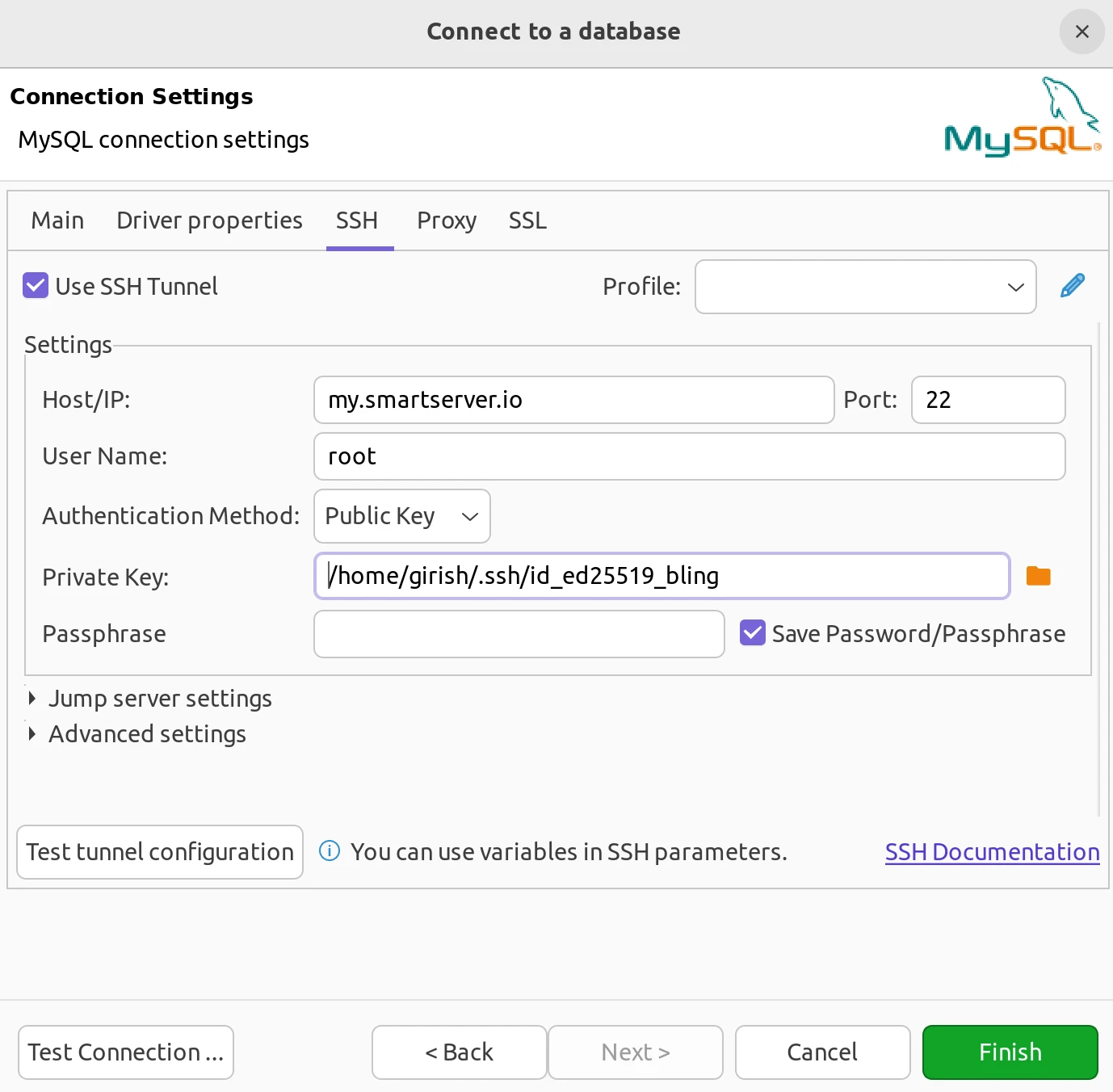
- Configure the SSH tunnel by clicking the SSH tab:
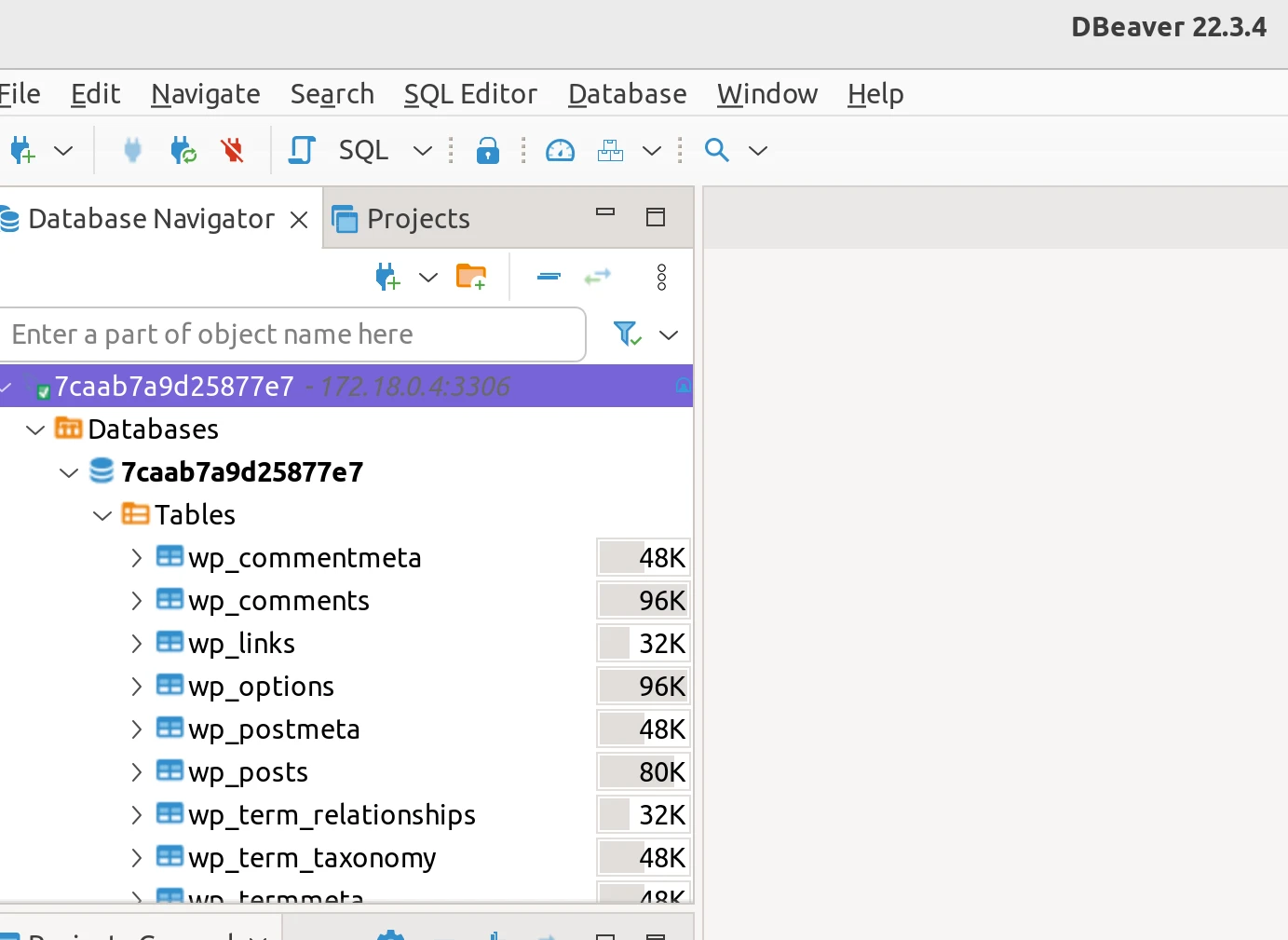
You can now view the database:
MySQL Workbench
MySQL Workbench is a visual tool for database architects, developers, and DBAs.
Connect:
- Create a new connection in MySQL Workbench.
- Select
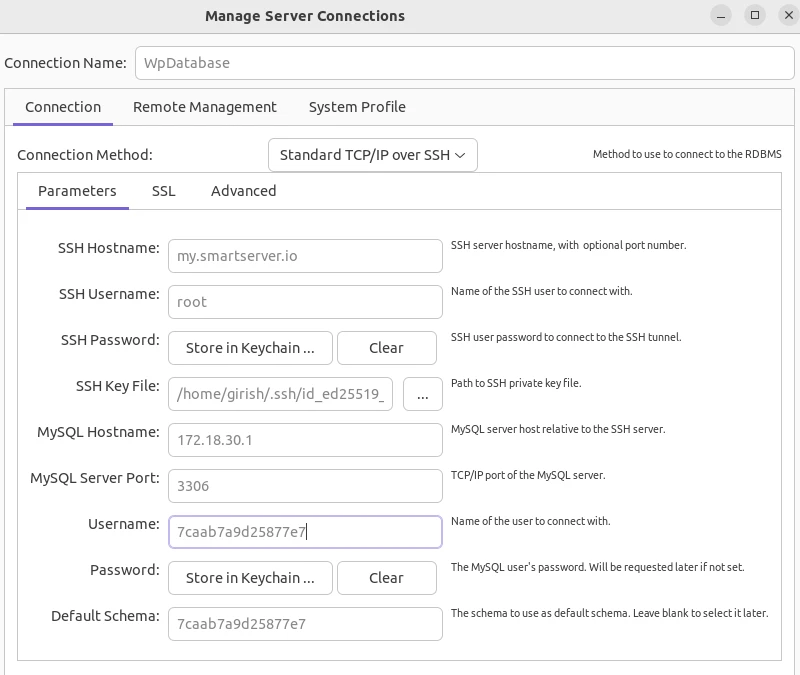
Standard TCP/IP over SSHas the connection method. - Fill in the credentials from above:
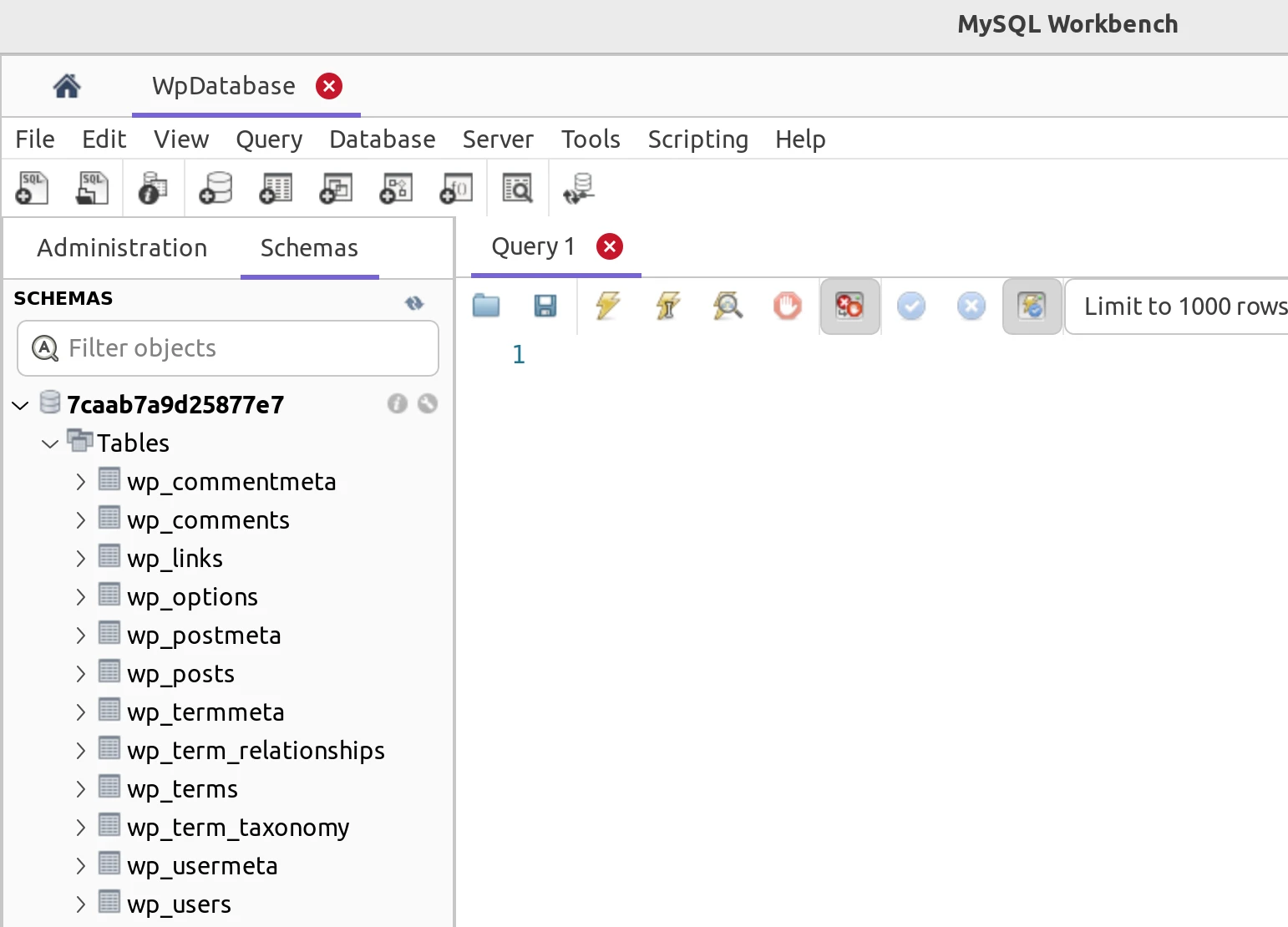
You can now view the database: