 Verdaccio
About
Verdaccio is a lightweight open source private npm proxy registry.
- Questions? Ask in the Cloudron Forum - Verdaccio
- Verdaccio Website
- Verdaccio issue tracker
Custom configuration
Add custom verdaccio configuration using the File Manager:
- Add any custom configuration in
/app/data/config.yaml. - Restart the app
See config.yaml for reference.
Welcome card
While the registry has no packages, the home page shows a welcome card with instructions to set the
registry and run npm adduser. Anyone can see this card, including visitors who are not logged in.
The package disables registration with max_users: -1, so Verdaccio rejects npm adduser with
a "registration is disabled" error after the CLI prompts for credentials.
To replace the card with your own text, set web.help in /app/data/config.yaml. The value is
markdown, and Verdaccio replaces {{registryUrl}} with the registry address:
web:
  help: Internal registry. Package list appears when packages exist.
Restart the app to apply the change. The same text also replaces the setup guide in the header
Settings dialog. The showInfo and showSettings options only hide the header buttons and do
not change the welcome card.
Access control
See the Verdaccio docs on how to allow or restrict access to packages.
CLI authentication
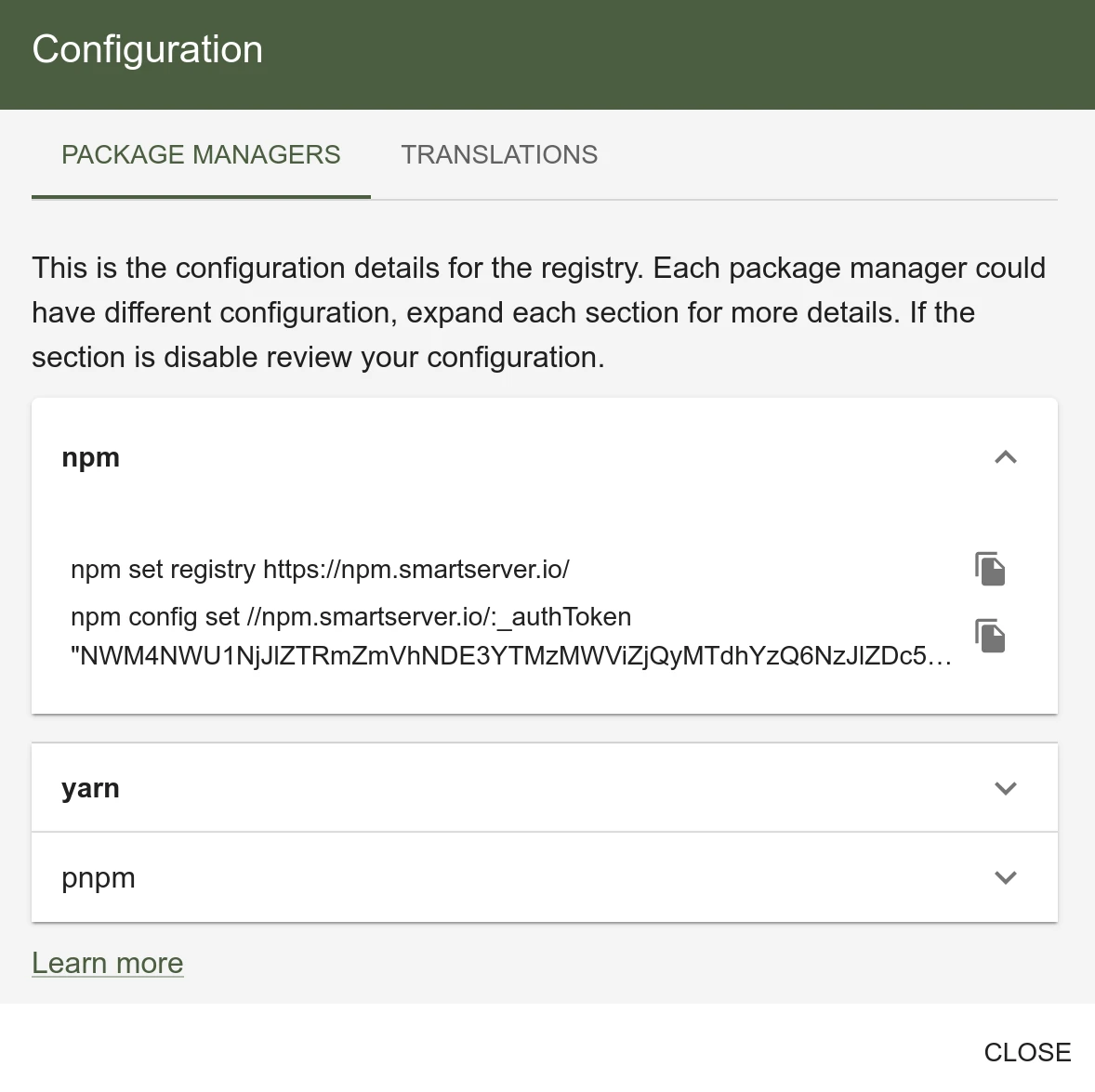
The package use OIDC authentication and providing the raw username and password to the npm/yarn/pnpm CLI tools will not work.
Two methods are available to set up CLI authentication:
npx verdaccio-openid@latest --registry http://your-registry.com
You can then use the above credentials in npm adduser --registry https://your-registry.com/
- Login to the Web UI . Settings -> Configuration
Publishing packages
To publish a package:
npx verdaccio-openid@latest --registry http://your-registry.com
npm publish --registry https://your-registry.com
Verdaccio is a proxying package manager. Packages are checked against npmjs registry
before being published. For this reason, publishing packages that already exist on npmjs
will result in a EPUBLISHCONFLICT error. See GitHub issue 1203
for a workaround.
Installing packages
To set the custom registry globally:
npx verdaccio-openid@latest --registry http://your-registry.com
npm set registry https://your-registry.com
To set it on just the project:
npx verdaccio-openid@latest --registry http://your-registry.com
npm install my-package --registry https://your-registry.com