 Typebot
About
Typebot is a visual chatbot builder that helps you create chatbots for your website without coding.
- Questions? Ask in the Cloudron Forum - Typebot
- Typebot Website
- Typebot Issues
Custom configuration
Typebot supports various configuration
parameters that can be set as environment variables. You can edit /app/data/env.sh using
the File Manager to set custom configuration.
For example:
env.sh
export NEXT_PUBLIC_UNSPLASH_APP_NAME = Whatever_Name_I_Gave_This_App_On_Unsplash
export NEXT_PUBLIC_UNSPLASH_ACCESS_KEY = theRandomStringThatUnsplashGaveAsAnAPIkey
Be sure to restart the app after making any changes.
Media uploads
Typebot requires S3 compatible storage access to store media uploads.
An example configuration using minio is described below.
- Install minio and create a bucket named
typebot. - Configure the bucket as outlined in typebot docs:
-
In the bucket's policy, add an
Anonymousaccess rule for the prefixpublic/.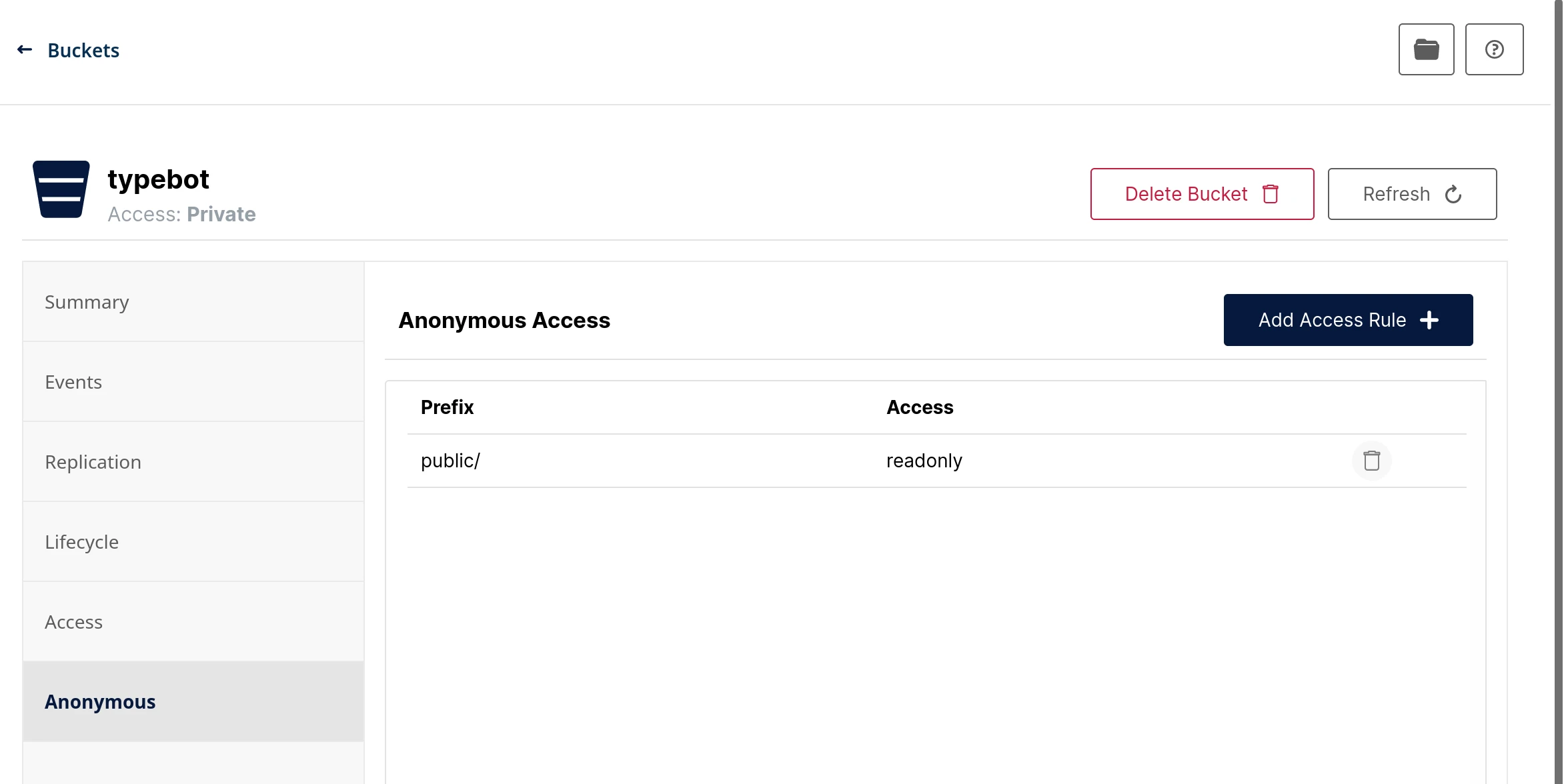
-
minio allows CORS requests from all endpoints by default. Thus,
CORS policysetting can be skipped
-
- Create access keys for bucket access in minio
- Set the access keys for typebot by editing
/app/data/env.shusing the File manager:
env.sh
export S3_ACCESS_KEY=rEbfwwqVZvMfBko2GuGx
export S3_SECRET_KEY=o69OUZsJD2bv1SBh0eTRJVSrtOu2VqrlxUau99Ye
export S3_BUCKET=typebot
export S3_ENDPOINT=minio-api.cloudron.example
export S3_SSL=true
export S3_REGION=us-east-1
- Restart Typebot