 n8n
n8n
About
n8n Free and open fair-code licensed node based Workflow Automation Tool.
- Questions? Ask in the Cloudron Forum - n8n
- n8n Website
- n8n forum
- n8n issue tracker
Custom env
Set custom environment variables in /app/data/env.sh using the File manager.
Restart the app after making changes.
Timezone
Set the timezone by setting the GENERIC_TIMEZONE environment variable in /app/data/env.sh. Restart the app after setting the timezone.
Built-in Node modules
n8n allows using built-in node modules. To use a built-in node module, edit /app/data/env.sh, add a line like below and restart the app:
export NODE_FUNCTION_ALLOW_BUILTIN=crypto
See upstream docs for more information.
Custom Node modules
To install custom node modules, edit /app/data/env.sh using the File manager:
# Note: this is a space separated list
export PKG_EXTRA_NODE_MODULES="handlebars@4.7.7 jsonata@2.0.2 marked@4.3.0"
Whitelist the modules for use:
# Note: this is a comma separated list
export NODE_FUNCTION_ALLOW_EXTERNAL=handlebars,jsonata,marked
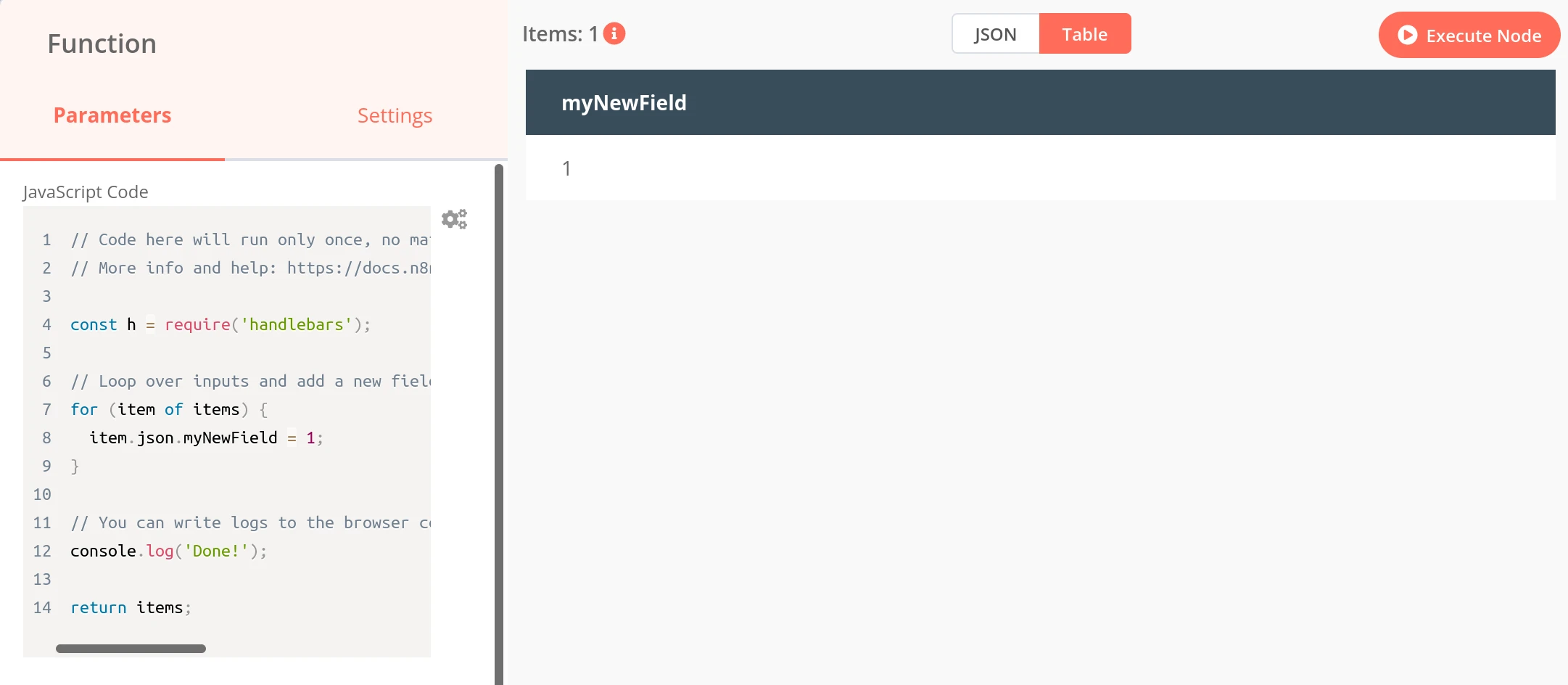
Restart the app and use the module in Function nodes. Restarting the app will install the modules specified in EXTRA_NODE_MODULES automatically.
See upstream docs for more information.
Queue mode
Queue mode runs the n8n main process (UI, webhooks, triggers) alongside dedicated worker processes. Heavy workflows execute on the workers instead of blocking the UI. See the upstream docs for details.
Queue mode requires the Redis addon. Enable Redis for the app before switching modes.
Enable queue mode by editing /app/data/env.sh using the File manager:
export EXECUTIONS_MODE=queue
export PKG_WORKER_COUNT=2
export PKG_WORKER_CONCURRENCY=10
PKG_WORKER_COUNT sets the number of worker processes (default 2). PKG_WORKER_CONCURRENCY sets how many executions each worker runs at once (default 10). Each worker is a full Node process, so increase the app's memory limit along with the worker count.
By default, manual (editor) executions run on the main process. To offload them to the workers, add:
export OFFLOAD_MANUAL_EXECUTIONS_TO_WORKERS=true
Restart the app after making changes.
CLI
To use the n8n CLI, open a Web terminal:
source /run/n8n/env.sh
gosu cloudron /app/code/node_modules/.bin/n8n export:workflow --backup --output=/tmp/n8n/