 CryptPad
About
CryptPad is an end-to-end encrypted and open-source collaboration suite.
- Questions? Ask in the Cloudron Forum - CryptPad
- CryptPad Website
- CryptPad docs
- CryptPad issue tracker
Admin
To make a user an admin:
- Go to
/settings/#accountand copy the Public Signing Key. - Edit
/app/data/config.jsusing File manager and put the key in theadminKeysfield. - Restart the app
Disable registration
Registration can be disabled in the Administration section.
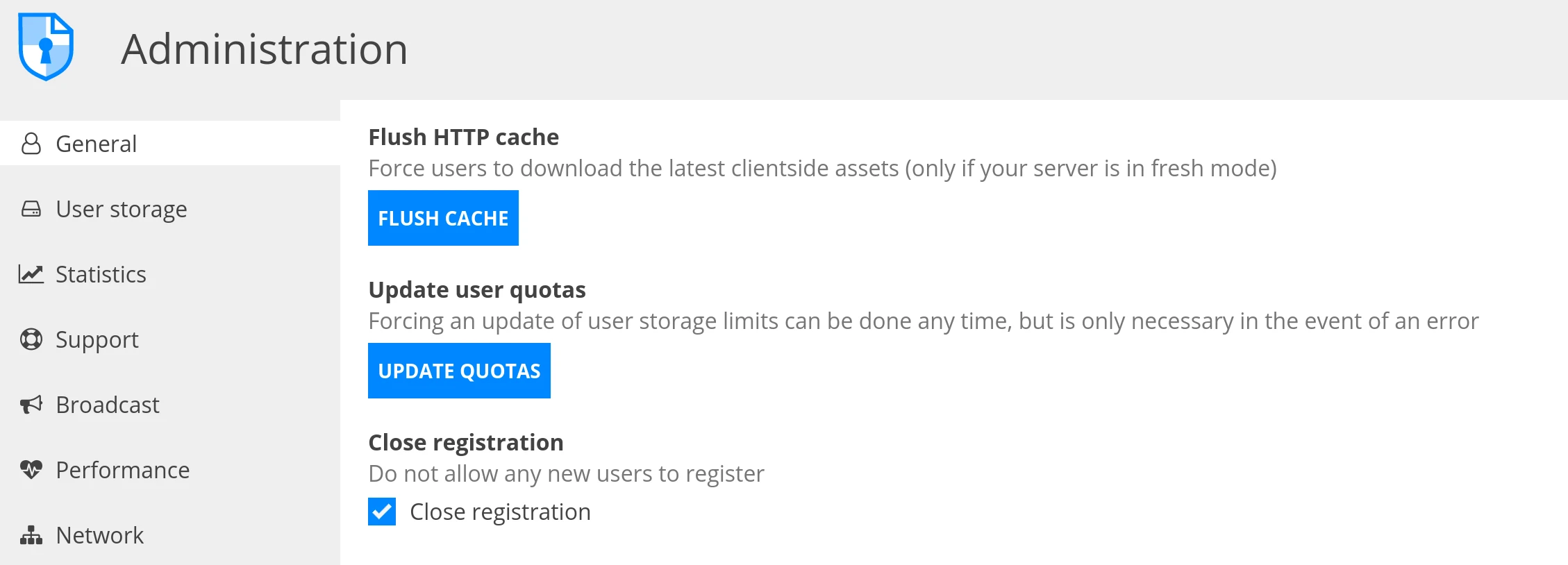
Restricting guest access - docs.cryptpad.org
Open the Web Terminal and run the following command:
cp /app/code/customize.dist/application_config.js /app/data/customize/application_config.js
Open the File Manager and edit the /app/data/customize/application_config.js file by adding the following lines inside the const factory:
AppConfig.disableAnonymousPadCreation = true;
AppConfig.disableAnonymousStore = true;
The const factory should something look like this:
const factory = (AppConfig) => {
    AppConfig.disableAnonymousPadCreation = true;
    AppConfig.disableAnonymousStore = true;
    return AppConfig;
};
Save the file and restart the app.
Checkup
Visit /checkup of your installation to run through the CryptPad checklist.